
Docs that stay connected to the work
Type @ to link a person, a task or another doc, and both ends show the link.
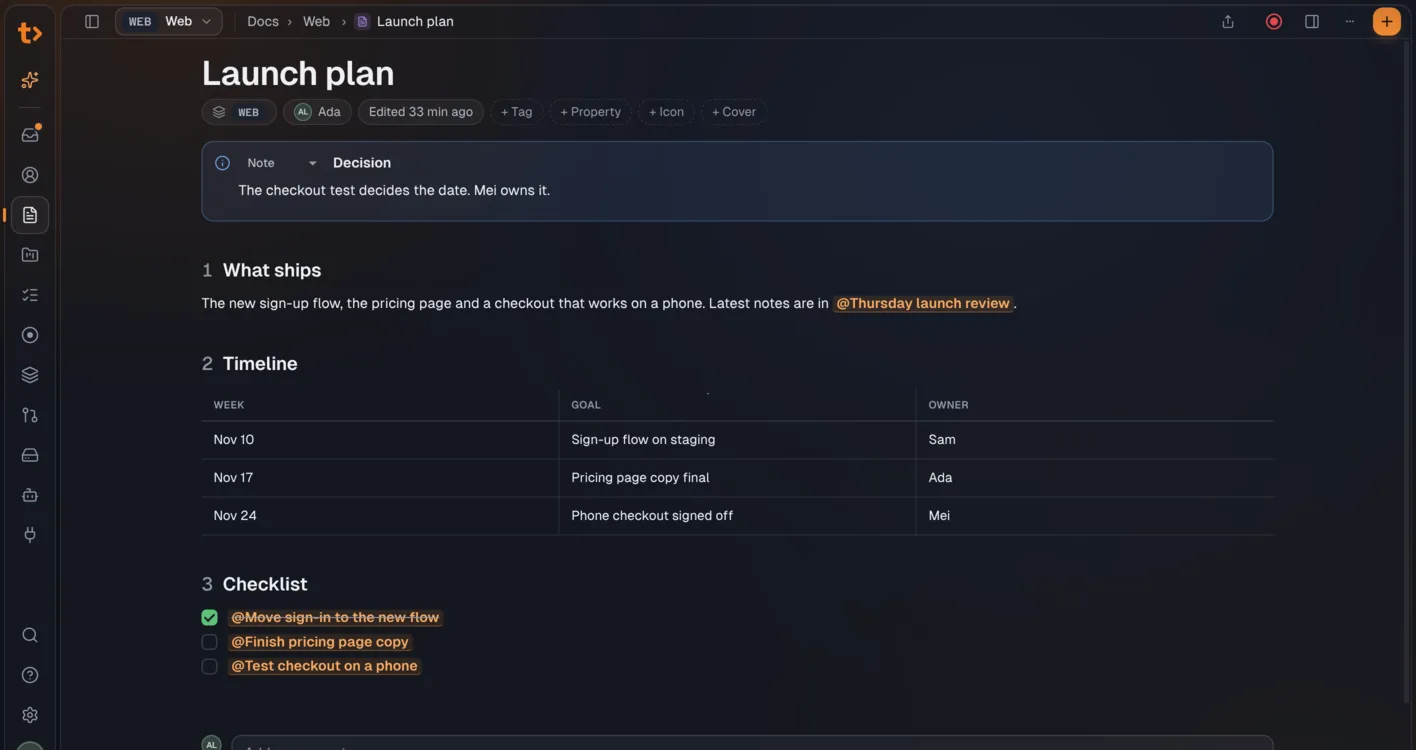
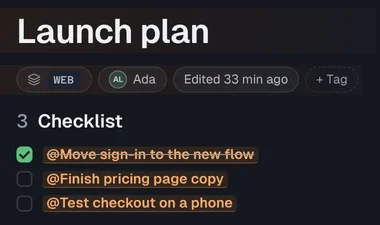
Real termynl screens. The workspace, people and tasks are made up.
A spec that points at real tasks stays honest. When a task moves, the doc shows it.
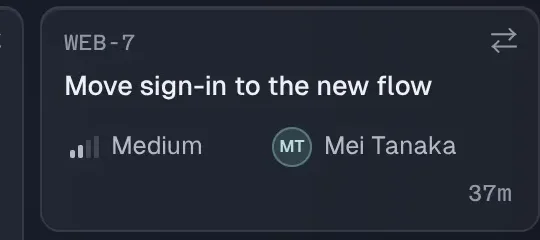
Done on the board. Struck through in the doc.
WEB-7 finished, and nobody touched the plan.

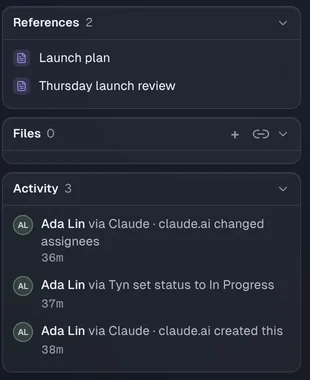
Links go both ways.
Every doc and task shows what links to it, so nobody has to ask where a decision came from. Connections draws it all as a graph, like a notes app's graph view: one item or the whole workspace, coloured groups, and any view saved as a graph, built only from what each person can read.
See meetings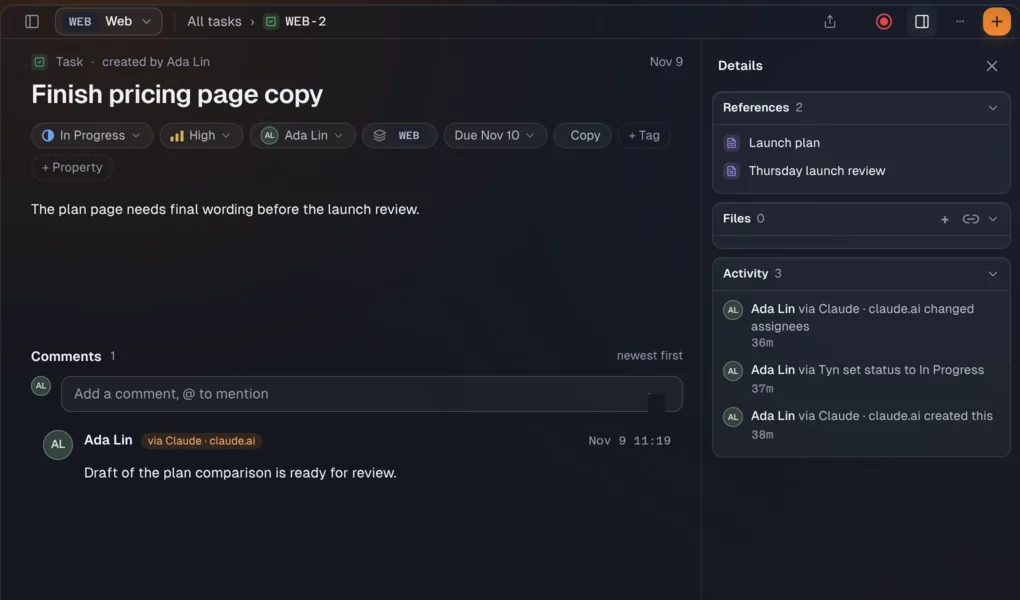
Write in blocks
Headings, to-dos, callouts, tables, columns, code and footnotes from the slash menu.
Publish a doc
Turn any doc into a read-only web page. Nothing else in the workspace can be reached from it.
Bring your Obsidian notes
Upload a vault as a zip. Notes, wikilinks, images and properties come across, and links become backlinks.